2026 ESP32-S3 C++ Tutorial | A Powerful Guide to Clean Hardware Abstraction
In 2026, the ESP32-S3 C++ remains a top choice for learning embedded C++. With its robust performance, complete resource set, and ability to manipulate real hardware, every line of code you write offers tangible results.
However, if your program consists only of endless GPIO operations inside a loop(), it quickly becomes unmaintainable. As projects grow, you realize that “making code work” and “making code usable” are two very different things.
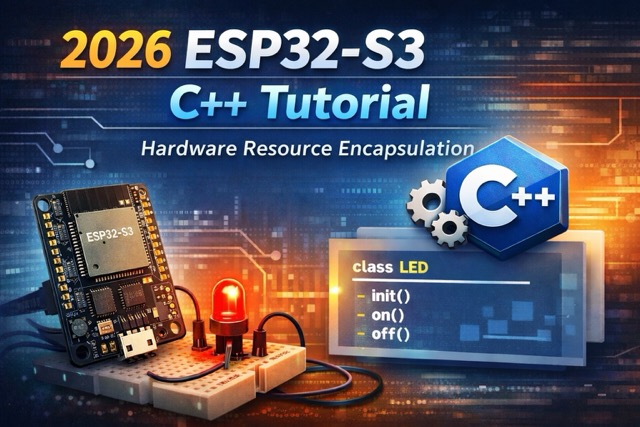
This guide explores Encapsulation in ESP32-S3 C++, showing you how to build clean, reusable hardware interfaces on the ESP32-S3. We will move away from touching pins directly and start managing hardware via objects, allowing your embedded code to scale elegantly.
Contents
Why Encapsulate Hardware in ESP32-S3 C++?
In embedded projects, as functionality increases, directly manipulating GPIO, initialization routines, and hardware details often leads to messy and fragile code.
Through Encapsulation, hardware resources are transformed into objects with clearly defined responsibilities and behaviors. This results in a cleaner and more structured system design.
Key Benefits
- Lower Coupling
Pin numbers, initialization steps, and control logic are hidden inside the class. The application code only calls methods and does not depend on implementation details. - Better Readability
A call likeled.on()is far more expressive and intuitive thandigitalWrite(2, HIGH). - Easier Maintenance & Expansion
When hardware changes or control logic evolves, only the class implementation needs modification. The rest of the application remains untouched. - Aligned with Embedded C++ Best Practices
ESP-IDF and Arduino ESP32 are built around C/C++. Managing hardware through objects is a mature and widely adopted engineering approach.
With this design, even as your project scales, the codebase remains structured, readable, and maintainable.
What is ESP32-S3?
ESP32-S3 is a modern MCU from Espressif with features including:
- Dual-core Xtensa LX7 CPU
- SIMD vector instruction support (for AI/ML acceleration)
- Built-in Wi-Fi and Bluetooth LE
- Suitable for Edge AIoT applications
- Support for ESP-DL, ESP-SR, TensorFlow Lite Micro, and other AI frameworks
Development Environment
Before starting your programming, make sure to complete the following preparations:
- Install ESP-IDF (version 5.x or higher): ESP-IDF is the official development framework for programming the ESP32, and it supports multiple operating systems such as Windows, macOS, and Linux.
- ESP32-S3 Development Board: An ESP32-S3 board is required.
Project Structure
Example Arduino ESP32-S3 C++ project layout:
led_abstraction/
├── src/
│   ├── main.cpp
│   ├── LedController.h
│   └── LedController.cpp
└── platformio.ini   (or Arduino IDE)
In real products, this type of module usually belongs to the Hardware Abstraction Layer (HAL).
From Pin Control to Object Control
A typical beginner-style approach:
int ledPin = 13;
int motorPin = 14;

void setup() {
    pinMode(ledPin, OUTPUT);
    pinMode(motorPin, OUTPUT);
}

void loop() {
    digitalWrite(ledPin, HIGH);
    // hundreds of lines later…
    digitalWrite(ledPin, LOW);
}
In ESP32-S3 C++, the mindset changes: An LED is not just a pin — it is an object with state and behavior.
Encapsulating an LED Controller
LedController.h
#pragma once
#include <Arduino.h>

class LedController {
public:
    LedController(uint8_t pin, bool activeHigh = true, uint8_t channel = 0);
    void begin(uint32_t pwmFreq = 5000, uint8_t resolution = 8);

    void on();
    void off();
    void toggle();
    void setBrightness(uint8_t duty);

    bool isOn() const;

private:
    uint8_t _pin;
    uint8_t _channel;
    bool _activeHigh;
    bool _state;
};
LedController.cpp
#include "LedController.h"

LedController::LedController(uint8_t pin, bool activeHigh, uint8_t channel)
    : _pin(pin), _channel(channel), _activeHigh(activeHigh), _state(false) {}

void LedController::begin(uint32_t pwmFreq, uint8_t resolution) {
    pinMode(_pin, OUTPUT);
    off();

    ledcSetup(_channel, pwmFreq, resolution);
    ledcAttachPin(_pin, _channel);
}

void LedController::on() {
    _state = true;
    digitalWrite(_pin, _activeHigh ? HIGH : LOW);
}

void LedController::off() {
    _state = false;
    digitalWrite(_pin, _activeHigh ? LOW : HIGH);
}

void LedController::toggle() {
    _state ? off() : on();
}

void LedController::setBrightness(uint8_t duty) {
    ledcWrite(_channel, duty);
    _state = (duty > 0);
}

bool LedController::isOn() const {
    return _state;
}
Once a pin is attached to LEDC, PWM hardware takes control. It’s recommended to use either digital control (on/off) or PWM control (setBrightness), and avoid mixing both modes.
A Clean Main Loop
#include <Arduino.h>
#include "LedController.h"

LedController statusLed(1, true, 0);
LedController powerLed(2, false, 1);

void setup() {
    Serial.begin(115200);

    statusLed.begin();
    powerLed.begin();

    powerLed.on();
    Serial.println("System Initialized");
}

void loop() {
    static uint32_t lastToggle = 0;

    if (millis() - lastToggle > 500) {
        statusLed.toggle();
        lastToggle = millis();

        Serial.printf("Status LED: %s\n",
                      statusLed.isOn() ? "ON" : "OFF");
    }
}
Notice how we no longer manipulate pins directly—we operate on hardware objects.
Conclusion
In 2026, hardware performance is no longer the main constraint—maintainable code is.
Using ESP32-S3 C++ classes to encapsulate hardware on ESP32-S3 allows you to:
- Isolate change — hardware updates only affect the class
- Improve readability —
led.on()>digitalWrite(15, 0) - Enable reuse — copy the class into future projects
Next time you start an ESP32-S3 C++ project, try designing your class interface first, then writing setup(). When you think in terms of object responsibilities instead of pin operations, you’ve stepped from maker-level coding into real embedded software engineering.